Case Study — Volvo

Volvo Infotainment Redesign

Design Exercise

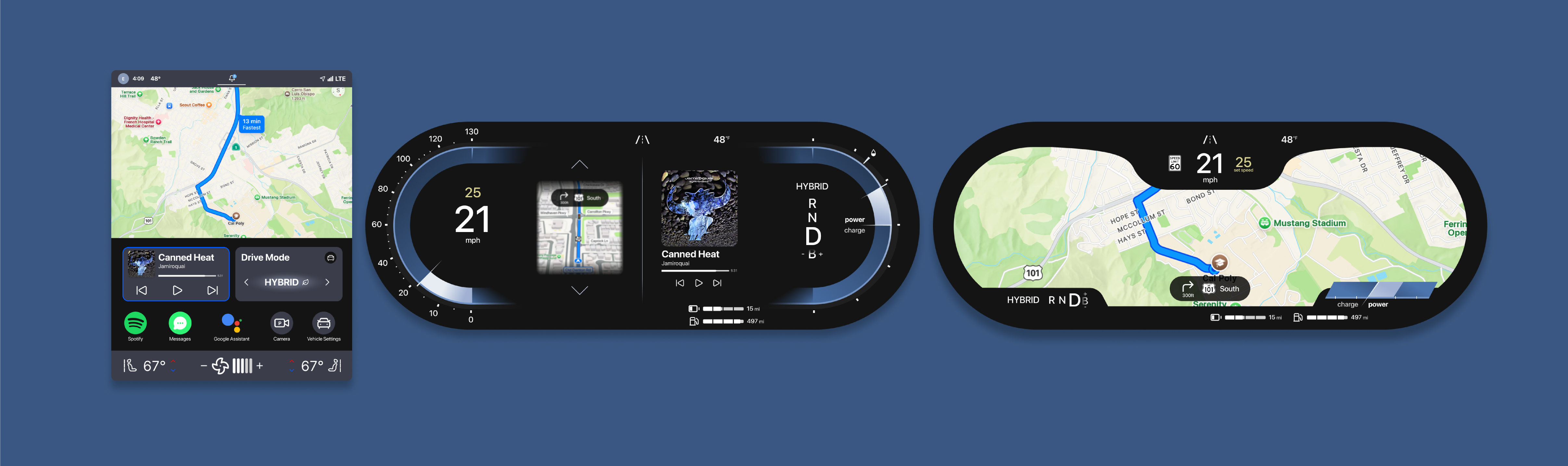
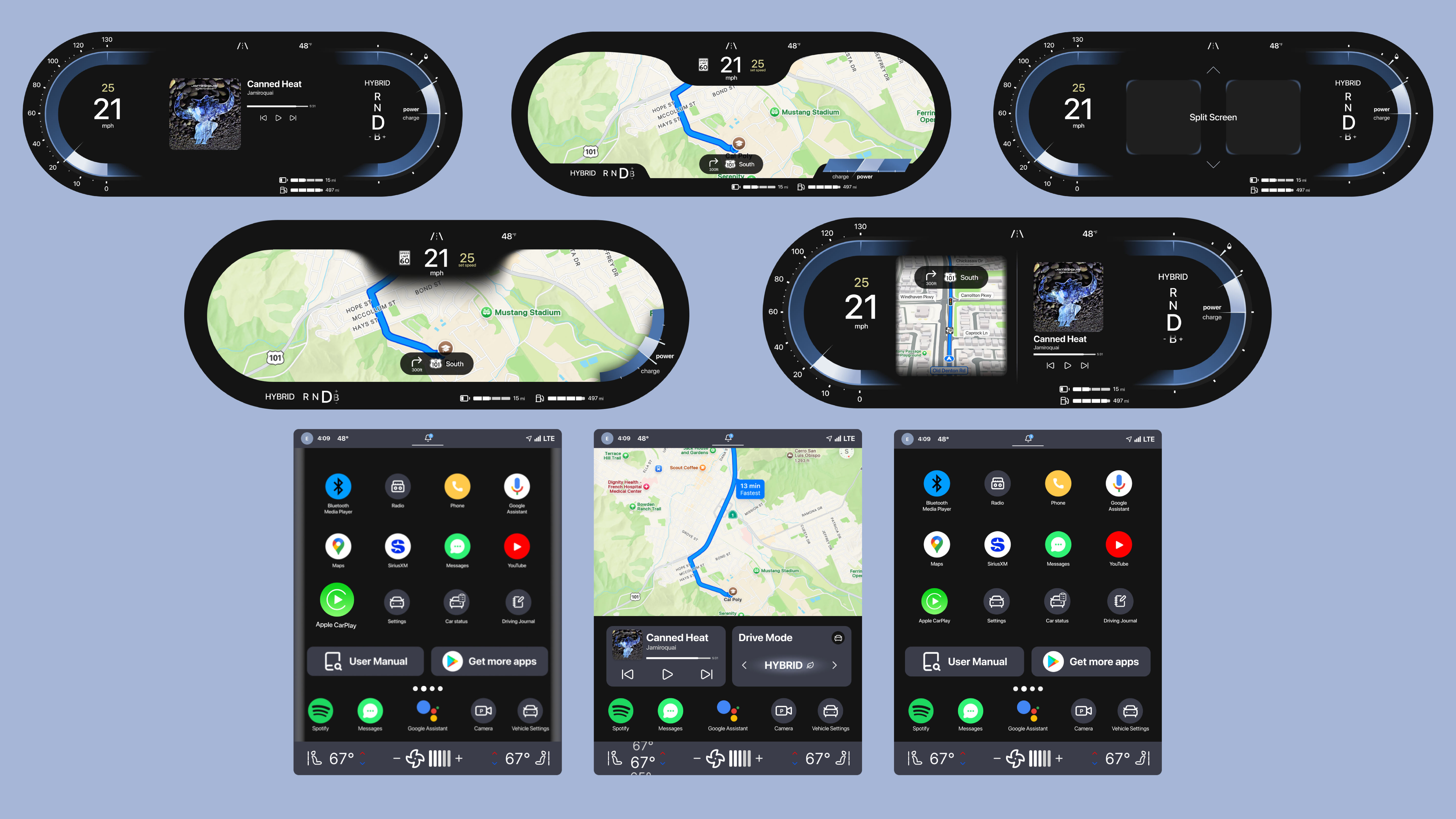
Redesigned Volvo's current gauge cluster and infotainment screens to offer more functionality and accessibility.

A collection of screens from the final product.

Duration

Skills Used

Tools

Project Brief

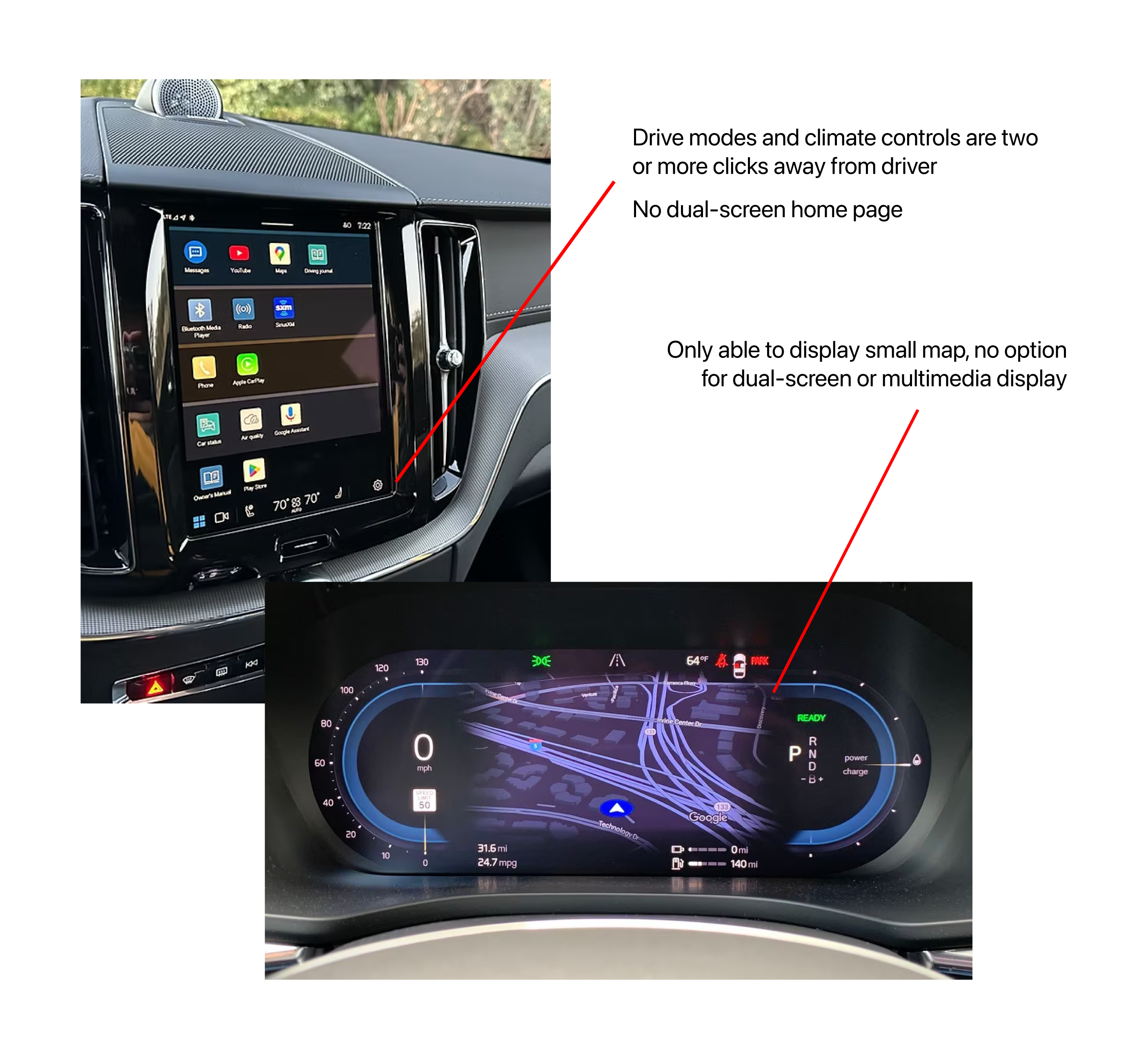
I watch a lot of car reviews to keep up on the latest design trends in infotainment. When watching a review on the 2025 XC60, I was surprised at the limited functionality of their interior screens.

I wanted to see what I could do to improve functionality in both the gauge cluster and center infotainment screens without adding complexity to physical controls.

Pain Points

Solution

Redesign cluster and infotainment layouts to display information for Volvo drivers so that they are able to immediately and accurately access information and change settings while driving.

Annotated displys from the 2025 XC60.

Just want to see how this ends? Jump to the final product! →

Research

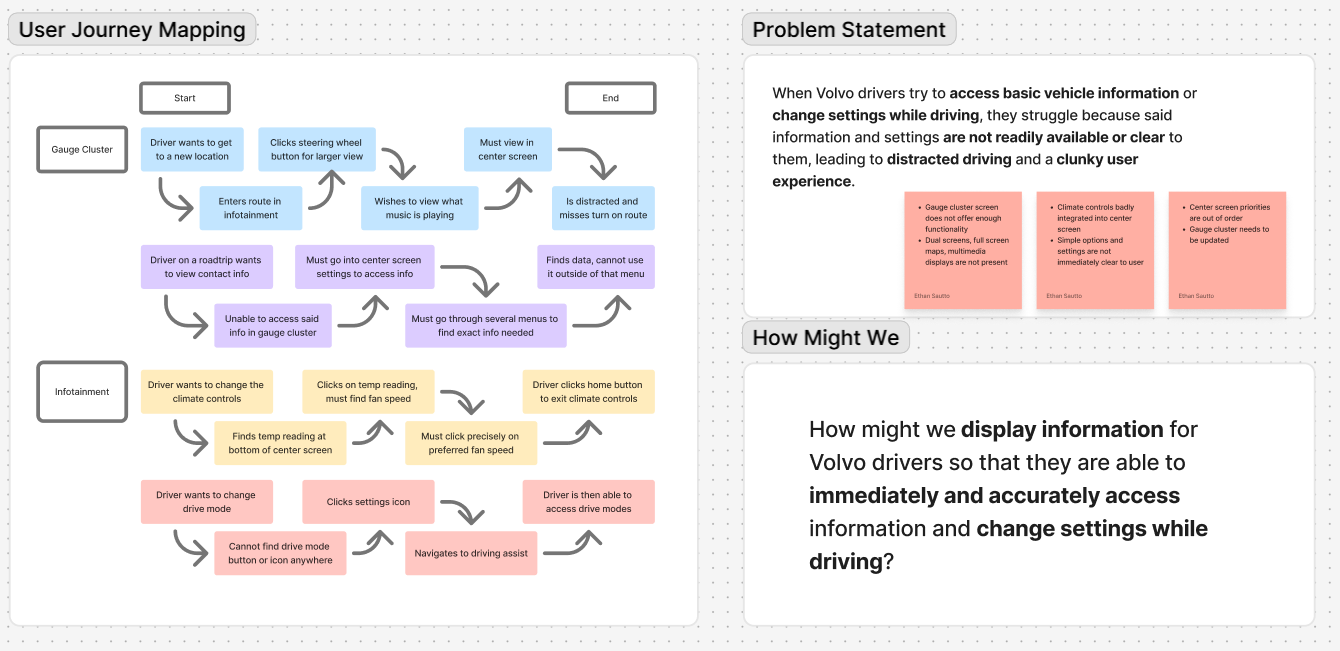
The goal for any infotainment system should be to convey information to the user in a way that does not interfere with their driving. In order to create a hierarchy of information by which I would design accordingly, I started with mapping the user journey.

These user journeys helped me isolate what should be prioritized for the driver (besides basic vehicle information): Navigation, multimedia, and drive modes. Only the map could be displayed in the gauge cluster, and not as a full screen map like many competitors. None of these elements could be displayed next to each other, even on the center infotainment.

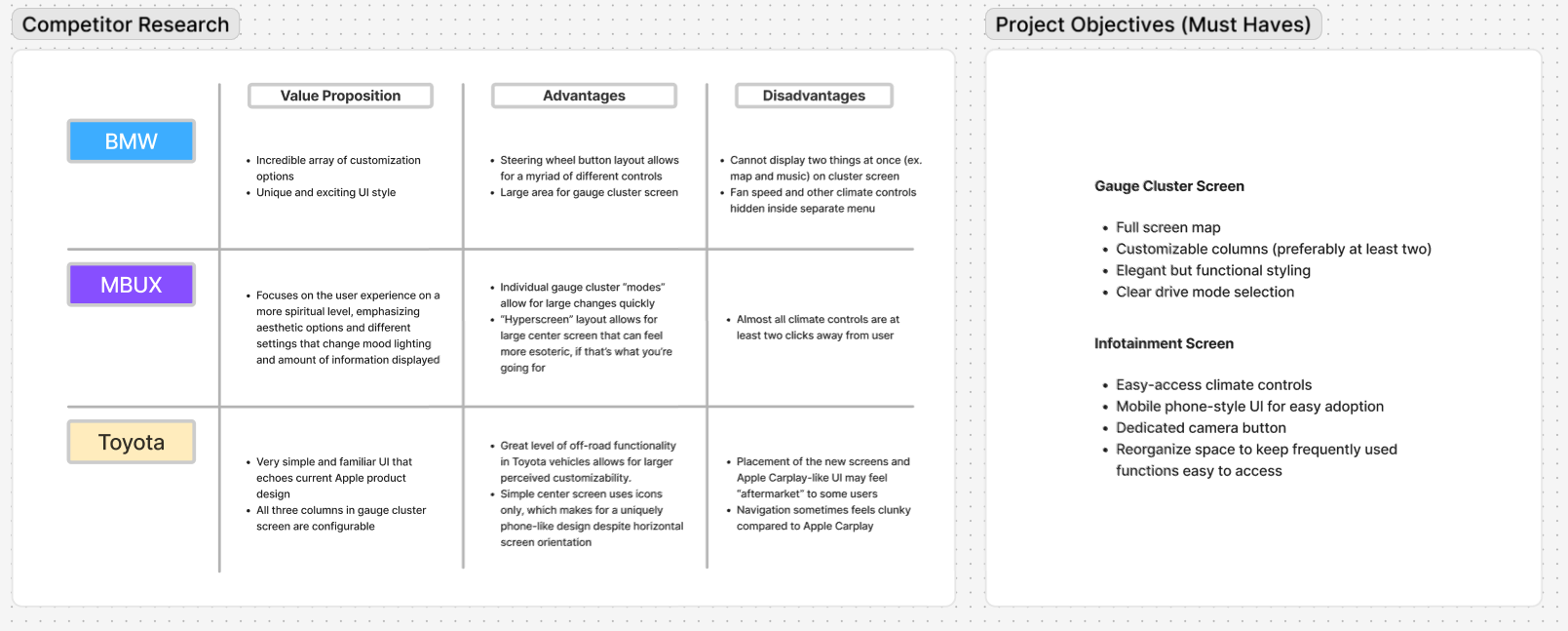
Additionally, I did competitive research to determine what other brands prioritized in their screens. My initial research gave me some great initial goals:

  1. Create a new gauge cluster screen capable of displaying a full-screen map
  2. Conceptualize dual-screen functionality in the gauge cluster screen
  3. Reorganize elements in the infotainment screen to make better use of the available space
  4. Refine the current design language to convey Volvo's functional but luxurious brand image

With these goals in mind, I moved to Figma to iterate on my ideas.

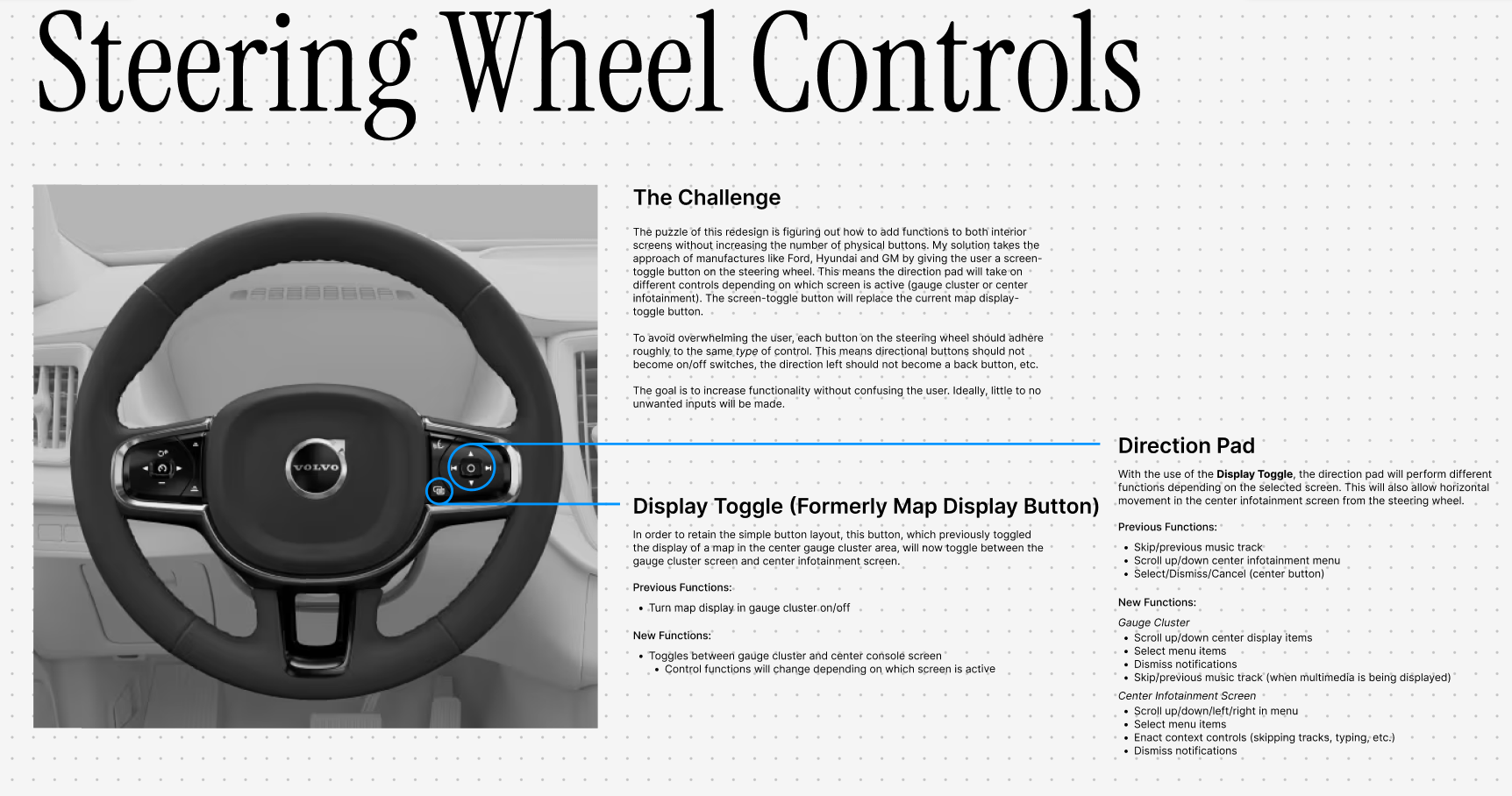
Journey map exercise. Competitor research exercise. Mapping out steering wheel controls.
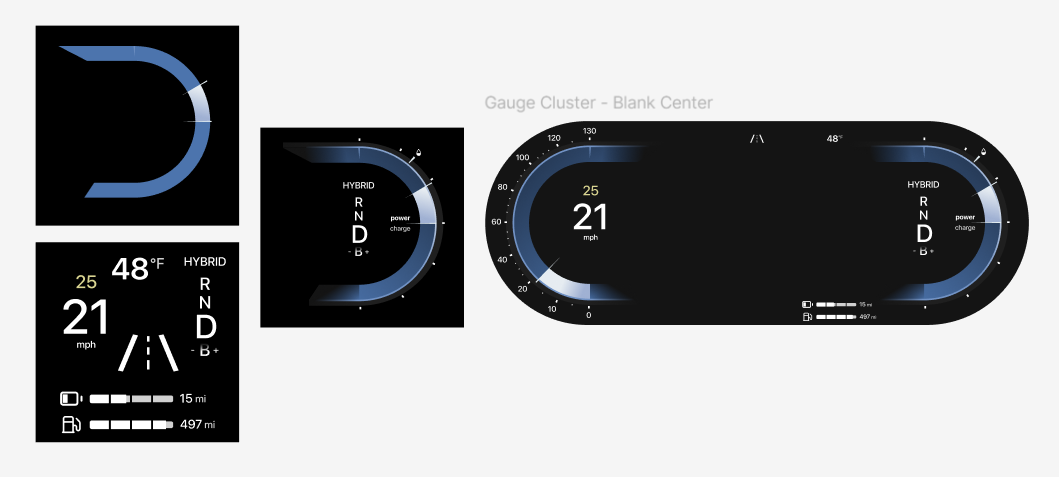
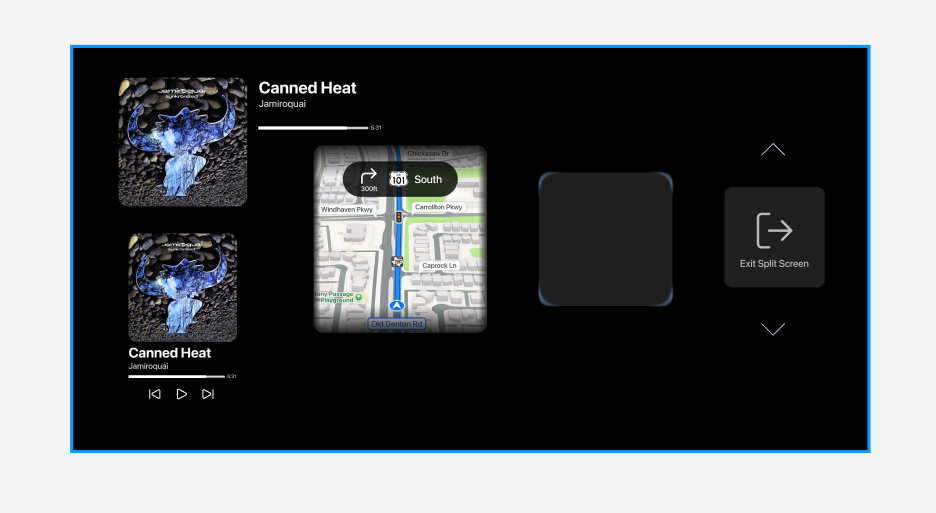
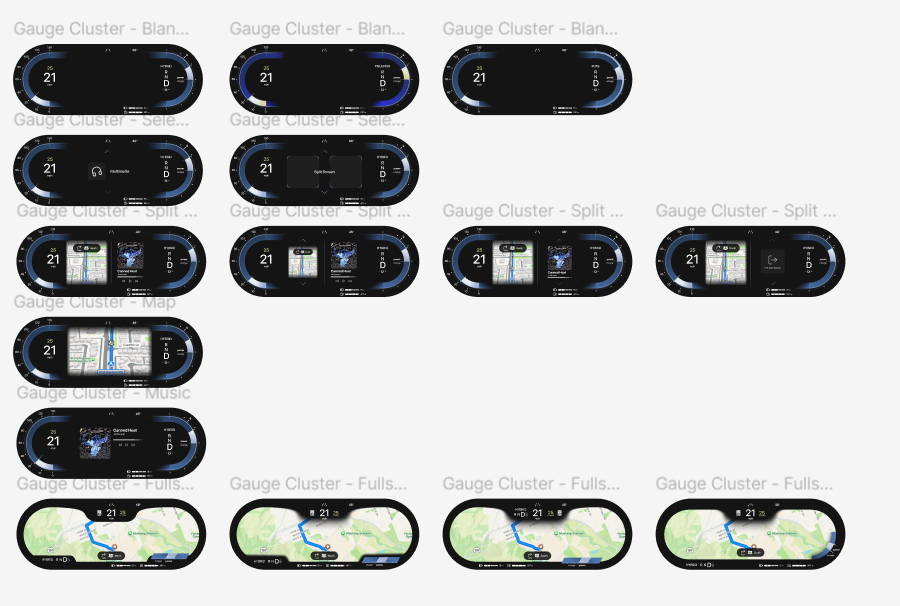
The gauge cluster screen, split up into its elements. Standalone elements to be inserted in the gauge cluster screen. Versions of the new gauge cluster screen. Versions of the new infotainment screen.

Design Process

After preliminary sketches, I started by recreating the current gauge cluster. It was important that I had this version prototyped for user testing down the road.

Since I planned to give users the ability to display two things at once, I needed to make sure space wasn't going to be an issue. I created multiple versions of each screen element to see what it would look like inside the gauge cluster. I also created the more liminal elements that would be viewed by a driver when modifying their display.

I kept all my new elements true to Volvo's design language, while updating when necessary. In the end, I had over a dozen versions of the gauge cluster, all showing different points in the user journey.

It was very important to me that I represented not only the different display types, but the menus a driver would need to navigate to get there. A driver should be able to scroll through a menu almost subconciously; the driver should not have to split their attention between the road and the interior screens.

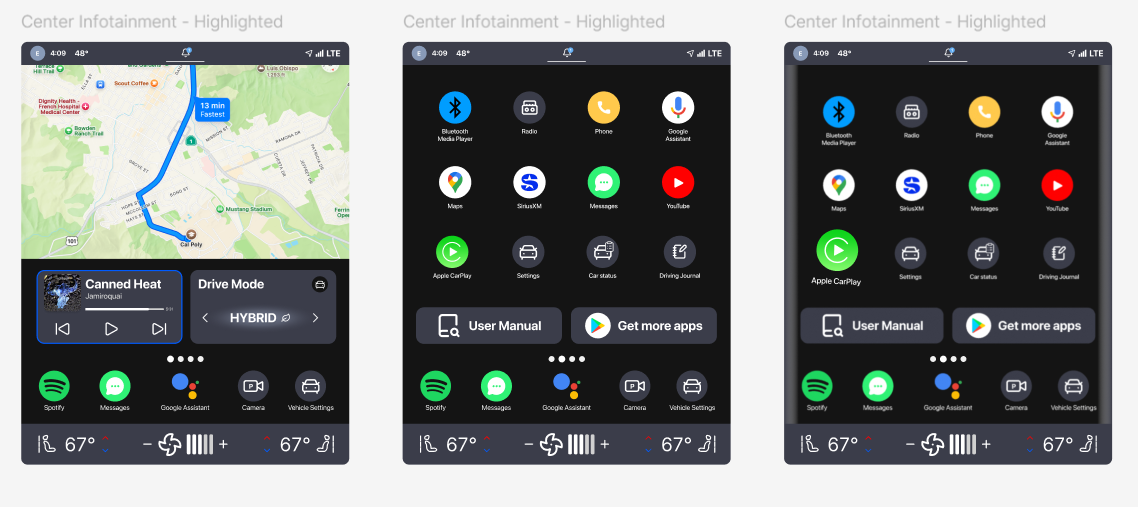
As for the center infotainment screen, Volvo beat me to it. During the 3 weeks I worked on this project, Volvo updated their center infotainment system, majorly improving on the pre-facelift models. Nonetheless, there were still improvemets to be made.

I rearanged elements in the grid layout so that the drive mode is by default a widget. I decided to omit the menu icon in the bottom left corner in favor of dots just above the hotbar. This meant more free space for extended climate controls and a clear indicator to users that they could swipe to a different screen.

Users would also be able to pick up apps and drag them to their homescreen widget or just reorganize them in a style similar to a smart phone. In my opinion, car interiors with large center screens (especially those oriented vertically) should follow the UX of mobile devices since it's already what a user will expect from a touchscreen.

Getting creative with user testing

After iterating on my designs for a week, I was happy with my solution. But what does that matter? I needed to put my design to the test with user research.

The infotainment screen was easy, as it was a touch screen and could be accurately simulated by positioning it relative to where the user would be sitting in the car. However, since the gauge cluster screen would be navigated via the steering wheel controls, I found myself in a pickle.

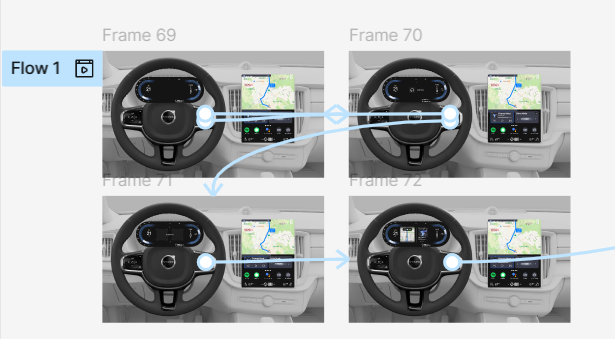
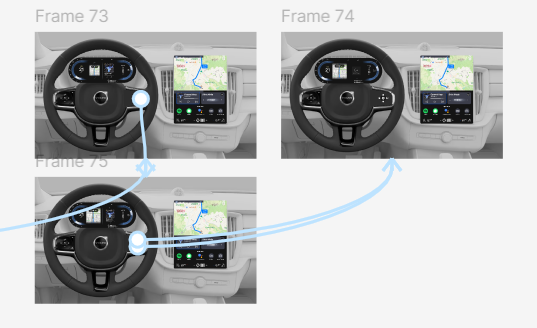
In order to properly simulate the operation of a gauge cluster screen, I made a digital version of the steering wheel controls. I had my participants use these controls to navigate the gauge cluster, which I positioned relative to the wheel. I also recreated Volvo's current infotainment system to compare to my own.

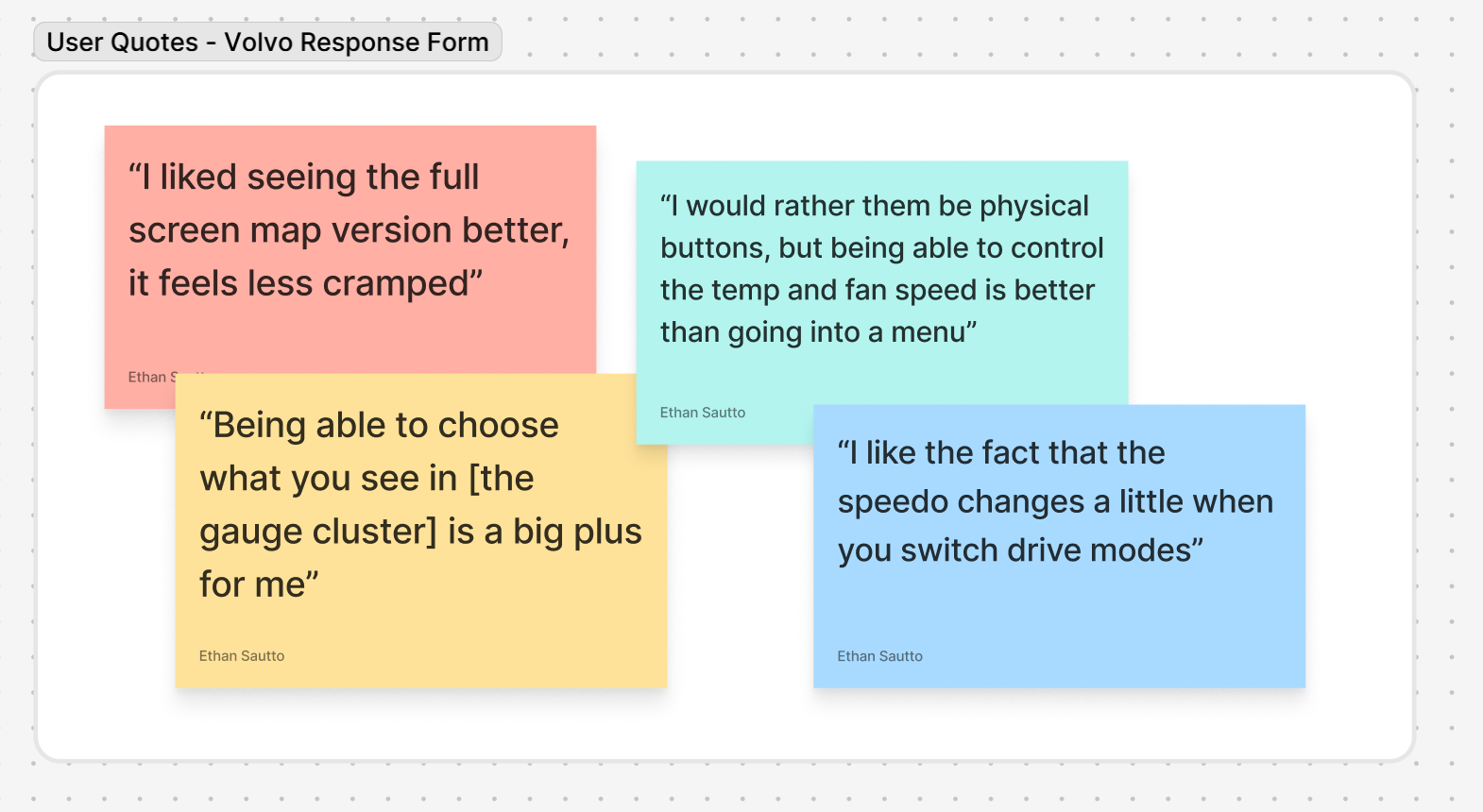
With everything in place, I was able to test whether my changes had benefited or detracted from the overal user experience. I used A/B testing to determine which gauge cluster was the most favorable regarding useablility and aesthetics, tested 10 different subjects on their ability to execute basic tasks, then conducted a survey on user's likes and dislikes of the new system. In the end, these were the results:

The prototype flow of the gauge cluster. More prototype flow of the gauge cluster. Quotes from respondees of the user research form.
Screenshots of the new and improved website.

Final Product + Takeaways

I was pretty pleased with the outcome of this project. It's a smaller case study, but it has to do with an area of UX that I'm particularly passionate about.

It was fun to try and navigate user testing for multiple screens that had to be navigated by a separate set of controls. Having to design screens that can be controlled in multiple ways adds a layer of complexity that I appreciate. I also just loved designing the small details of each screen.

Even though Volvo has updated their infotainment screen since the start of this project, I still think I made some very important tweaks, and I certainly improved the functionality of the gauge cluster. As more cars move towards fully digital dashes, I'm excited to see what innovations will look like.

Just from this project alone, I can say I really do enjoy watching people's initial reactions to controls/screen layouts. It's extremely satisfying to see your decisions change how users interact with their car.

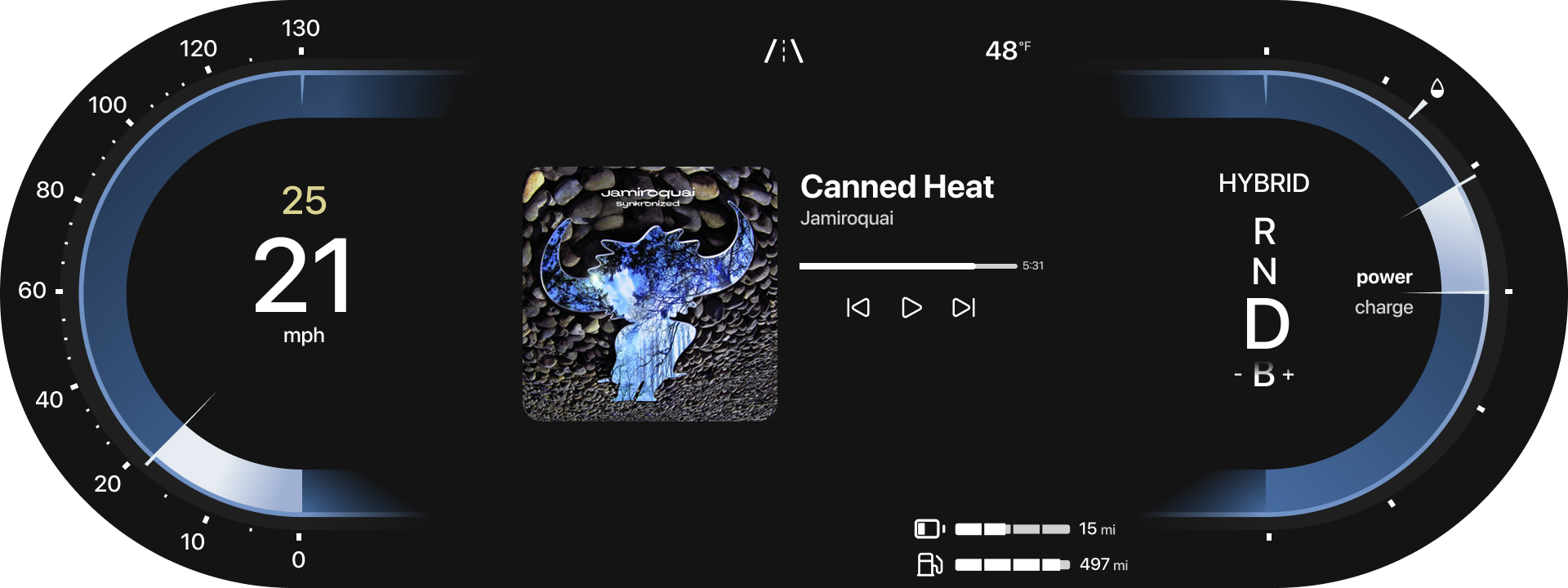
Close up of the new gauge cluster.